


Partička
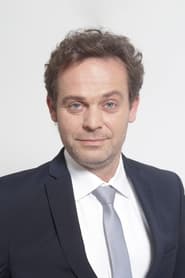
Petra Polnišová, Lukáš Latinák, Marian Miezga, Robo Jakab and Roman Pomajbo are absolute professionals who, even at midnight, blinds or backgrounds, play... Basically anything! And exactly that is what is already the iconic entertainment show Partička goes - not to be surprised by the absurdly sounding entry of diabolical moderator Dan Dangla and to the great joy of viewers in the studio and in front of screens improvise as a life! This is a royal fun test of inventiveness and talent of all involved, but also a proper shot of their nerves, tightened to burst, perhaps not to be particularly emphasized. No one can be sure what happens and how the whole evening goes, even they themselves do not!
Created by: Daniel Dangl
Folgen
Besetzung



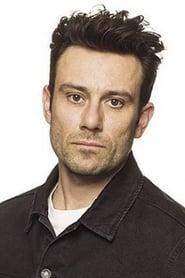
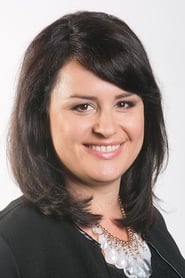
Über Partička
Partička ist eine Komödie-Serie von Daniel Dangl mit Daniel Dangl, Lukáš Latinák und Juraj Kemka. Erstausstrahlung 2009. Umfasst 4 Staffeln und 107 Folgen. Läuft auf Markíza.
Partička kostenlos online auf BinxFlex schauen — alle Staffeln und Folgen in HD mit Untertiteln auf Englisch, Französisch und Arabisch, wo verfügbar. Keine Anmeldung, kein Abo.
Häufige Fragen
Welche Altersfreigabe hat Partička?
Partička ist freigegeben ab 12. Prüfe die Altersfreigabe deiner Region vor dem Schauen.
Wie viele Staffeln hat Partička?
Partička hat 4 Staffeln und 107 Folgen — alle streamen kostenlos auf BinxFlex.
Wo kann ich Partička online schauen?
Du kannst Partička kostenlos online auf BinxFlex schauen — mehrere Server, HD-Qualität und keine Anmeldung nötig.
Ist Partička auf BinxFlex kostenlos?
Ja — Partička streamt kostenlos auf BinxFlex ohne Abo. Einfach auf Abspielen drücken.
Hat Partička Untertitel?
BinxFlex bietet Untertitel für Partička in mehreren Sprachen, darunter Englisch, Französisch und Arabisch, wenn verfügbar.
In welcher Qualität ist Partička verfügbar?
BinxFlex streamt Partička in HD und bis zu 4K auf unterstützten Servern — wähle deine Wunschqualität im Player.
Kann ich Partička auf Handy oder TV schauen?
Ja — BinxFlex läuft auf jedem Gerät: Handy, Tablet, Laptop oder TV. Keine App nötig, einfach Partička im Browser öffnen.